Fit for 2020: what changed at WordPress in 2019
After we kicked off last year with a new WordPress version and a whole raft of updates and news, quite a bit has happened in the WordPress universe since then.
After we kicked off last year with a new WordPress version and a whole raft of updates and news, quite a bit has happened in the WordPress universe since then. Find out where things stand now, and how to get your website fit for the new year (decade, even) in our flame January blog.
Recap: what actually changed with WordPress 5.0?
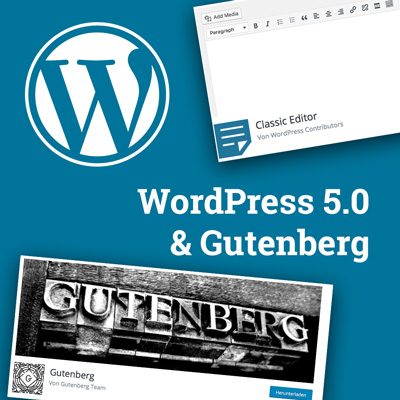
As WordPress evolved from its original blogging roots into a fully fledged content management system, so-called page or content builders for WordPress became increasingly popular. They make it easy to update, extend and maintain a website, and usually require little to no coding knowledge – ideal, then, for an in-house editorial team managing a website.
With the launch of WP 5.0, WordPress took the decisive step towards its own page builder: the Gutenberg editor lets you create so-called “blocks”, which work in a similar way to the page builders you already know.
Current WordPress version: WordPress 5.3
The new major version 5.0, with the Gutenberg editor as the new default, sent a real shockwave through the WordPress community in early 2019. Thanks to good preparation, though, the update to this new version went almost without a hitch for both our clients and us. Over the rest of the year, the major version was continuously refined and given further features. Right now (as of January 2020), WordPress is running on version 5.3.
To make sure you always stay up to date on your WordPress version and its plugins, we offer our clients a quarterly maintenance package. If you haven't booked automatic updates through our maintenance package, we're happy to help you upgrade to the latest version!
What's new in WordPress 5.3?
Alongside bug fixes and functional optimisations, WordPress 5.3 brings a number of new features, including:
- Usability: the backend user interface has been improved, making things more comfortable and accessible – through the use of buttons, for example
- Login interface: you can now reveal your password while logging in – making typos a thing of the past ????
- More security: every six months, the system checks that the site's main administrator email address is still correct. So, for example, a new administrator can be named after a change (if a staff member leaves, say)
- Performance optimisation: from WordPress 5.3, images are automatically scaled down to a maximum width of 2,560px on upload, largely avoiding oversized files
What WordPress has planned for the future
In the long run, popular, widely used design templates/themes (like Avada or Enfold) are set to be replaced by WordPress's own “patterns” or layout suggestions. Templates are planned, for example, for standard pages like “Team”, “About Us”, “Contact” and so on – so you'll be able to build your own WordPress site quickly, without any external tools. It's still unclear exactly what this will look like, or whether WordPress patterns will be a real alternative to the themes or plugins currently available. WordPress is expected to share more planning details over the course of 2020.
The Gutenberg editor and its “blocks”
At the start of 2019, the Gutenberg editor was still in its infancy, and clunky enough to use that it ended up disabled on almost every website. Since then, though, it's gone through several rounds of development and refinement – to the point that we've since built some WordPress sites entirely with the Gutenberg editor.
Here are the most important features and updates to Gutenberg and its “blocks”:
- Every block element now shows a preview on hover, making it easier to pick the right one
- Individual blocks can now be combined into a group block, making related content easier to keep track of
- Image block: there are now pre-configured styles too, such as “rounded”
- Button style: you can now define a fixed button design for each page, which new buttons pick up automatically – and rounded corners are now possible too
- Cover block: the cover block now supports more complex backgrounds, such as gradients, which can also be applied to other blocks
- Gallery: you can now quickly and easily reorder images in a gallery using arrow buttons
- Columns: you can now adjust the width of individual columns with a slider, and blocks within columns are displayed more clearly
- Tables: you can now add a header and footer row to the standard table, and align individual table columns to the left or right
- Navigation display: a marker in the bottom-left corner of the browser window now shows which block you're currently editing, for better orientation
Plenty of plugins were also developed over the past year to add further functionality to the Gutenberg editor. If you're interested in implementing any of these, feel free to get in touch with us any time.
Also worth knowing: PHP versions
You've probably already heard from your hosting provider that support for all PHP 5 versions ended at the close of 2019. So if you haven't updated to PHP 7.2 yet, now's the time.
One thing to keep in mind: always back up your whole website before any upgrade, and check beforehand that your themes, plugins and any other customisations are compatible!
As for updating to PHP 7.3, we'd suggest holding off a little longer, since some plugins and themes aren't quite ready for it yet, which could cause complications.
Last but not least: for everyone using the AVADA theme
The AVADA theme (currently at version 6.1.2, as of January 2020) and the plugins bundled with it have run without issues on WordPress 5.3 in our tests so far. And while we still prefer the Fusion Builder in terms of functionality and usability, you can switch to the Gutenberg editor and use that to edit your website instead, if you'd rather.
And what fires you up?
Tell us what you’re working on right now — relaxed, over a coffee, virtually or in Munich-Sendling.
Arrange a chat